
How to Clean Your Phone and Keyboard Safely and Effectively
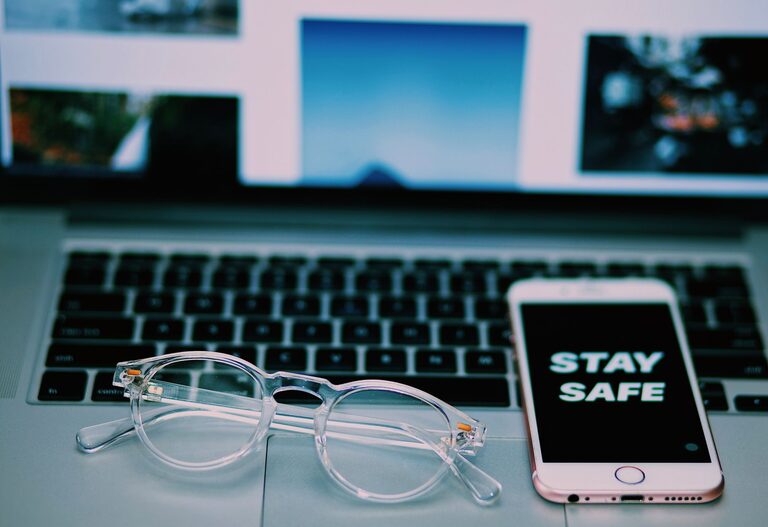
Keeping your phone and keyboard clean is important for both hygiene and the longevity of your devices. These frequently touched gadgets can accumulate dirt, oils, and germs that not only affect performance but may also contribute to the spread of bacteria. However, cleaning them improperly can risk damage to sensitive components. This guide will walk you through safe and effective ways to clean your phone and keyboard, using readily available materials and simple techniques.
Why Cleaning Your Devices Matters
Phones and keyboards are among the most used items in everyday life. Considering how often they come into contact with your hands, face, and various surfaces, they can harbor a surprising amount of bacteria and grime. Regular cleaning helps reduce germs, prevents sticky keys, and keeps your devices looking new.
What You Will Need
Before starting, gather the following supplies:
– Microfiber cloths (soft and lint-free)
– Cotton swabs or soft-bristled brushes
– Isopropyl alcohol (70% or less recommended)
– Distilled water
– Mild dish soap (optional)
– Compressed air canister (optional but helpful)
– Small bowl for mixing
Avoid using bleach, ammonia-based cleaners, or abrasive materials as they can damage device surfaces.
How to Clean Your Phone Safely
Step 1: Power Off and Unplug
Always turn off your phone and disconnect it from power sources or accessories before cleaning.
Step 2: Remove Case and Accessories
If your phone has a case, remove it so you can clean both the case and the phone thoroughly.
Step 3: Prepare Cleaning Solution
Mix equal parts distilled water and isopropyl alcohol in a small bowl. This solution is effective at disinfecting without harming your phone’s screen or finish.
Step 4: Wipe the Phone
Dampen a microfiber cloth with the cleaning solution (do not soak it). Gently wipe the entire phone surface including the screen, back, and edges. Avoid excessive moisture around ports and openings.
Step 5: Clean Ports and Buttons
Use a dry cotton swab or a soft brush to clean small crevices like charging ports, headphone jacks, and buttons. Be gentle to avoid pushing debris further inside.
Step 6: Dry Your Phone
Use a clean, dry microfiber cloth to remove any remaining moisture. Let your phone air dry for a few minutes before powering it back on.
Step 7: Clean the Case
If your phone case is plastic or rubber, wash it with mild soap and water, rinse, and dry thoroughly before reattaching.
How to Clean Your Keyboard Safely
Step 1: Power Down and Disconnect
Turn off your computer or unplug the keyboard to avoid accidental key presses or damage.
Step 2: Remove Loose Debris
Turn the keyboard upside down and gently shake it to dislodge crumbs, dust, and debris. Using compressed air can help blow out particles lodged between keys.
Step 3: Clean the Key Surfaces
Dampen a microfiber cloth with the alcohol and water solution prepared earlier. Wipe the keys and keyboard surface carefully, avoiding excess moisture.
Step 4: Detail Between Keys
Use cotton swabs or a soft brush dipped lightly in the cleaning solution to clean between keys. Do not let liquid drip under the keys.
Step 5: For Mechanical Keyboards
If you have a mechanical keyboard, consider removing keycaps (check manufacturer instructions) for a deeper clean. Wash keycaps in warm, soapy water, rinse, dry completely, then reinstall.
Step 6: Dry and Reassemble
Allow the keyboard to dry fully before reconnecting or powering on.
Tips for Maintaining Clean Devices
– Wash your hands before using your phone or keyboard.
– Avoid eating or drinking near your devices.
– Clean your devices regularly, at least once a week or more if used heavily.
– Use screen protectors and keyboard covers to minimize dirt buildup.
– Store devices in clean areas to reduce exposure to dust.
What to Avoid When Cleaning Electronics
– Do not spray liquids directly onto devices.
– Avoid paper towels, napkins, or abrasive cloths.
– Stay away from cleaners containing bleach, ammonia, or vinegar.
– Don’t immerse devices in water or cleaning solutions.
Conclusion
Regular cleaning of your phone and keyboard helps maintain their appearance and function while reducing germs. By following these safe techniques and using gentle materials, you protect your devices from damage and keep them hygienic. Make cleaning a habit for better device care and personal health.
Remember, a little care goes a long way in extending the life of your technology!